
How to Write AI Prompts: 7 Simple Rules (With 20 Examples)
Learn how to write AI prompts that work. 7 simple rules with 20 real examples. Works for ChatGPT, Claude, Midjourney, Sora. Stop getting generic AI results today.
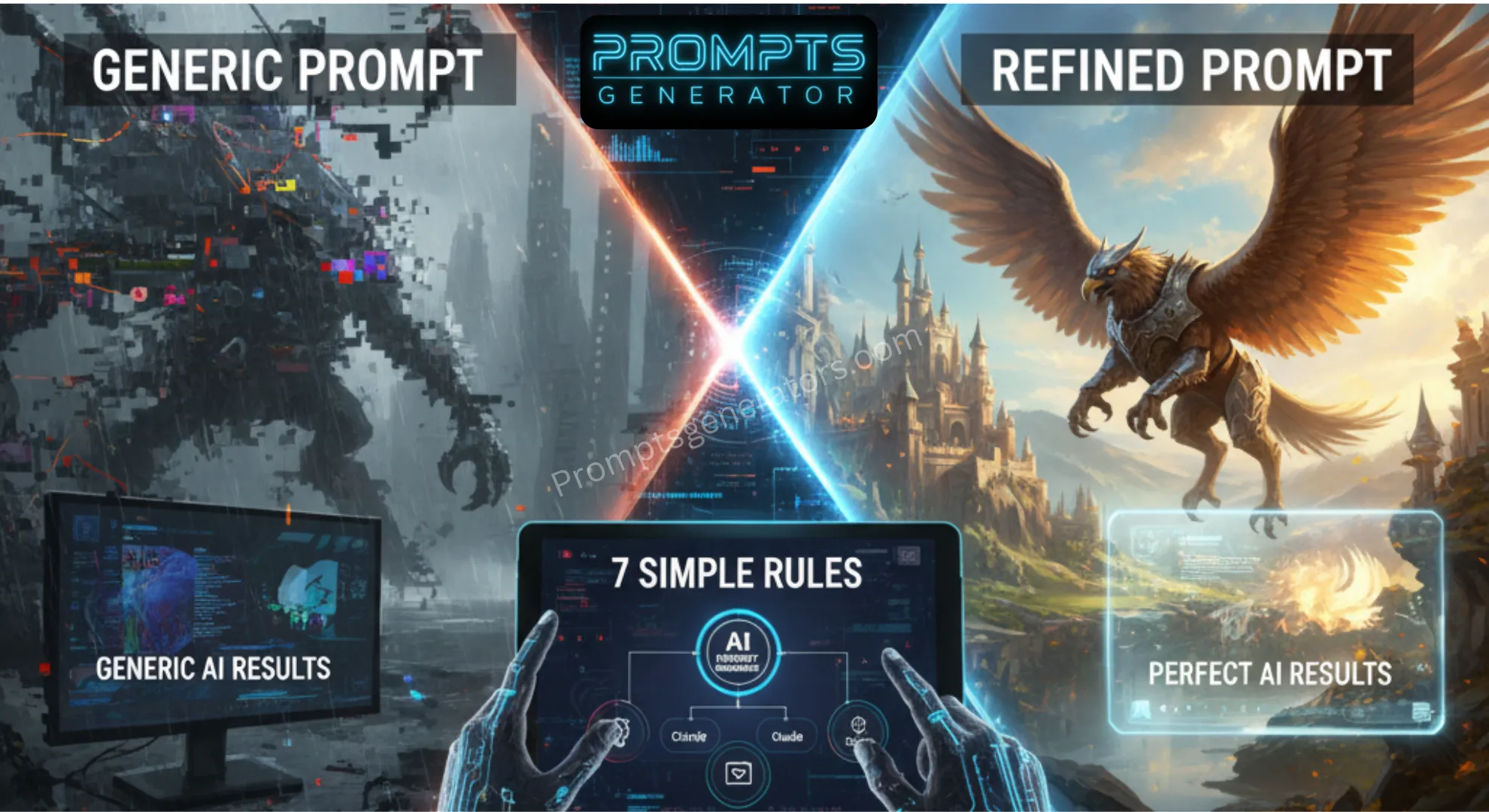
How to Write AI Prompt When Your AI Prompts Aren’t Working
Last month, I spent two hours trying to get ChatGPT to write a decent product description. I must have typed 30 different variations of “write a product description for headphones.”
Every result felt generic. Like the AI was copying from a template rather than creating something unique for my specific product.
Then my colleague showed me her prompt. It was longer, more detailed, and structured completely differently. She got perfect results on the first try.
The difference wasn’t the AI. It was the prompt, we will learned here how to Write AI Prompt in this blog
Here’s what I learned after writing 500+ prompts across ChatGPT, Claude, Midjourney, and Sora: most people treat AI like a search engine when they should treat it like a creative partner.
You wouldn’t tell a designer “make something good” and expect great results. You’d explain your vision, describe your audience, share examples, and provide context.
AI needs the same thing?
The good news? Writing effective prompts isn’t complicated. You don’t need technical knowledge or special training. You just need to follow a few simple rules.
Let me show you exactly what works.
The 7 Simple Rules How to Write AI Prompt for Perfect Result
After testing hundreds of AI prompts and learning how to write AI prompts effectively, I’ve identified seven rules that consistently produce better results. These work across every AI platform I’ve tested.
Rule #1: Be Ridiculously Specific
The Problem:
Vague prompts give vague results. When you ask for “a blog post about marketing,” the AI has to guess what you mean. Different interpretations lead to inconsistent outputs.
The Solution:
Add specific details about what you actually want.
Bad Example:
“Write about coffee”
Good Example:
“Write a 500-word blog post explaining the difference between espresso and drip coffee for beginners who just bought their first coffee maker. Use simple language and include three practical tips for brewing better coffee at home.”
Why It Works:
The specific version tells the AI:
- Content type (blog post)
- Length (500 words)
- Topic scope (espresso vs drip)
- Audience (beginners, new coffee maker owners)
- Tone (simple language)
- Structure (include three tips)
The AI doesn’t need to guess anything.
Quick Test:
Could someone else read your prompt and understand exactly what you want? If not, add more details.
Rule #2: Define Your Goal Clearly
The Problem:
AI doesn’t know why you need this content. Without understanding your purpose, it can’t make smart decisions about tone, depth, or approach.
The Solution:
Tell the AI what you’re trying to accomplish.
Bad Example:
“Explain cloud computing”
Good Example:
“Explain cloud computing to help a small business owner decide if they should move from local servers to cloud storage. Focus on costs, security concerns, and ease of transition. The goal is to help them make an informed decision, not to convince them either way.”
Why It Works:
Now the AI knows:
- Audience context (small business owner)
- Decision point (evaluating cloud migration)
- Key concerns (costs, security, transition)
- Intended outcome (informed decision)
- Tone requirement (balanced, not sales-y)
Application Across Different Needs:
For Persuasion:
“Goal: Convince readers to try our product”
For Education:
“Goal: Help readers understand this concept well enough to explain it to others”
For Entertainment:
“Goal: Make readers laugh while learning about this topic”
For Decision-Making:
“Goal: Present pros and cons so readers can choose what’s right for them”
Rule #3: Provide Context
The Problem:
AI doesn’t know your situation, background, or constraints unless you explain them.
The Solution:
Share relevant background information that influences how the task should be approached.
Bad Example:
“Write an email to my team”
Good Example:
“Write an email to my 12-person marketing team announcing that we’re switching from Mailchimp to HubSpot next month. Context: The team is already overwhelmed with a product launch, some members are resistant to change, and we need their cooperation to make this transition smooth. Tone should acknowledge their concerns while explaining why this change will actually make their work easier long-term.”
Why It Works:
Context helps the AI understand:
- Audience size and type (12 marketing professionals)
- Situation (during busy product launch)
- Challenges (resistance to change, timing)
- Emotional considerations (overwhelmed team)
- Required approach (acknowledge concerns, emphasize benefits)
Types of Context to Include:
Audience Context:
Who will consume this? What do they care about? What’s their expertise level?
Situational Context:
What’s happening right now that affects this request?
Historical Context:
What led to this need? What’s been tried before?
Constraint Context:
What limitations exist? (time, budget, resources, platform restrictions)
Rule #4: Use Examples When Possible
The Problem:
“Good” means different things to different people. Your idea of professional writing might differ completely from what AI generates.
The Solution:
Show the AI what you mean by providing examples.
Bad Example:
“Write in a casual tone”
Good Example:
“Write in a casual tone like this example: ‘Here’s the thing about coffee. Most people overthink it. You don’t need a $3,000 espresso machine or beans from some remote mountain. You just need fresh beans, clean water, and five minutes. That’s it.’ Match this level of casualness and directness.”
Why It Works:
The example demonstrates:
- Sentence structure preferences
- Vocabulary level
- How casual “casual” actually is
- Personality and voice
- What you mean by “direct”
Different Types of Examples:
Style Example:
Show a paragraph written in the style you want
Format Example:
Demonstrate the structure or layout
Tone Example:
Provide text that captures the exact mood
Quality Example:
Share something that represents the level of sophistication you expect
Pro Tip:
Even bad examples help. You can say: “Write something like Example A, but avoid the tone of Example B.”
Rule #5: Specify the Output Format
The Problem:
Without format guidance, AI makes random choices about structure that might not fit your needs.
The Solution:
Tell the AI exactly how to organize and present the information.
Bad Example:
“Explain SEO basics”
Good Example:
“Explain SEO basics in this format:
- Start with a one-paragraph overview (100 words max)
- Create 5 main sections with descriptive headings
- Each section should be 150-200 words
- Include 3 bullet points in each section highlighting key takeaways
- End with a ‘Quick Start’ section listing 5 immediate actions
- Use subheadings in question format where appropriate
- Write at 8th-grade reading level”
Why It Works:
Format specifications eliminate ambiguity about:
- Overall structure (sections, flow)
- Length requirements (word counts)
- Visual organization (bullets, headings)
- Reading level (accessibility)
- Special elements (quick start section)
Common Format Specifications:
For Articles:
Word count, heading levels, paragraph length, use of lists, conclusion style
For Social Media:
Character limits, hashtag quantity, emoji usage, call-to-action format
For Business Writing:
Formality level, section structure, bullet point usage, sign-off style
For Creative Content:
Point of view, tense, dialogue style, descriptive density
Rule #6: Set Clear Constraints
The Problem:
Without boundaries, AI might include things you can’t use or don’t want.
The Solution:
Explicitly state what to avoid or what limitations apply.
Bad Example:
“Create a social media post”
Good Example:
“Create an Instagram caption for our coffee shop’s new fall menu. Constraints: Must be under 150 characters (including spaces), avoid using hashtags in the main caption, don’t mention specific prices, keep it friendly but not overly casual, and absolutely no pumpkin spice jokes (we’ve overused that). Focus on the cozy atmosphere and handcrafted approach instead.”
Why It Works:
Clear constraints prevent:
- Content that’s too long for the platform
- Tone mismatches with brand voice
- Overused clichés
- Information you don’t want public
- Style elements that don’t work for you
Types of Constraints:
Length Constraints:
Maximum word count, character limits, time duration
Content Constraints:
Topics to avoid, information not to include, sensitive subjects
Style Constraints:
No jargon, avoid passive voice, don’t use certain words
Technical Constraints:
Platform limitations, format restrictions, compatibility requirements
Brand Constraints:
Voice guidelines, prohibited language, required terminology
Rule #7: Iterate and Refine
The Problem:
Expecting perfection on the first try leads to frustration. Even professional prompt engineers refine their prompts.
The Solution:
Treat prompting as a conversation. Generate, review, adjust, regenerate.
First Attempt:
“Write a product description for wireless headphones”
After Seeing Result:
“That’s too technical. Rewrite focusing on lifestyle benefits instead of technical specifications. Target busy professionals who use headphones during commutes. Emphasize noise cancellation and comfort for long wear.”
After Second Result:
“Better, but add one specific use case scenario. Also, make the first sentence more attention-grabbing.”
Why It Works:
Each iteration teaches you:
- What the AI understood correctly
- What needs clarification
- Which details matter most
- How to communicate more effectively
Iteration Process:
Step 1: Generate
Use your best initial prompt
Step 2: Evaluate
What’s good? What’s missing? What’s wrong?
Step 3: Identify the Gap
Is it tone, content, structure, length, or accuracy?
Step 4: Refine Specifically
Address one issue at a time
Step 5: Regenerate
Test the improved prompt
Step 6: Save What Works
Document successful prompts for reuse
Important Truth:
Professional prompt engineers don’t get it perfect on the first try either. They just iterate faster because they’ve practiced identifying what needs adjustment.
20 Before & After Examples That Show The Difference
Let me show you real transformations using these seven rules.
Business Writing Examples
Example 1: Email Communication
Before (Bad Prompt):
“Write a meeting reminder email”
After (Good Prompt):
“Write a friendly but professional email reminding the sales team about tomorrow’s quarterly review meeting at 2 PM in Conference Room B. Include: meeting agenda (Q3 results, Q4 goals, new CRM training), what to bring (laptops, Q3 reports), and mention that refreshments will be provided. Tone should be upbeat but respect that this is a busy week for the team.”
Result Quality: 3/10 vs 9/10
Example 2: Product Description
Before:
“Describe this water bottle”
After:
“Write a 100-word product description for a 32oz stainless steel water bottle targeting fitness enthusiasts. Emphasize: keeps drinks cold for 24 hours, fits in car cup holders, leak-proof cap, and eco-friendly alternative to plastic. Tone should be energetic and motivational, focusing on supporting their active lifestyle rather than just listing features.”
Result Quality: 4/10 vs 9/10
Example 3: LinkedIn Post
Before:
“Write a post about productivity”
After:
“Write a LinkedIn post about a productivity technique I recently discovered: the ‘two-minute rule’ (if it takes less than 2 minutes, do it immediately). Share it as a personal story about how this simple change helped me clear my email backlog last week. Tone: conversational and relatable, not preachy. Length: 150 words. End with a question to encourage comments.”
Result Quality: 5/10 vs 9/10
Content Creation Examples
Example 4: Blog Introduction
Before:
“Write a blog intro about remote work”
After:
“Write a 150-word blog introduction about the challenges of remote work for new managers. Start with a relatable scenario: a first-time manager realizing they can’t just walk over to someone’s desk anymore. Goal: Make readers feel understood before offering solutions. Tone: empathetic and conversational, avoiding corporate jargon.”
Result Quality: 4/10 vs 8/10
Example 5: Social Media Caption
Before:
“Caption for a sunset photo”
After:
“Write an Instagram caption for a beach sunset photo. Keep it under 100 characters. Avoid clichés like ‘chasing sunsets’ or ‘golden hour.’ Focus on the peaceful feeling of the moment. Tone: calm and reflective, not overly poetic. No hashtags in the main caption.”
Result Quality: 3/10 vs 9/10
Example 6: YouTube Video Script
Before:
“Script for a cooking video”
After:
“Write a 2-minute script for a YouTube cooking video showing how to make French press coffee. Target audience: complete beginners who just bought their first French press. Structure: 15-second intro explaining why French press is easier than they think, step-by-step instructions with timing for each step, common mistakes to avoid, and 10-second outro encouraging them to try it. Tone: friendly and encouraging, like teaching a friend.”
Result Quality: 5/10 vs 9/10
Technical Writing Examples
Example 7: Tutorial Instructions
Before:
“Explain how to set up WiFi”
After:
“Write step-by-step instructions for setting up a home WiFi router for someone who describes themselves as ‘not tech-savvy.’ Use simple language, avoid technical jargon. Include: unboxing and physical setup, connecting to modem, accessing router settings, setting password. Format: numbered steps, each step 1-2 sentences max, with what they should see at each stage. Anticipate common confusion points and address them proactively.”
Result Quality: 4/10 vs 9/10
Example 8: FAQ Answer
Before:
“Answer question about returns”
After:
“Write an FAQ answer explaining our 30-day return policy for a customer who’s asking if they can return a used item. Provide clear yes/no answer upfront, then explain conditions: item must be in original packaging, proof of purchase required, refund within 5-7 business days. Tone: helpful and clear, not legalistic. End with next step: ‘Click here to start your return’ with link placeholder.”
Result Quality: 5/10 vs 9/10
Creative Writing Examples
Example 9: Story Opening
Before:
“Write a story about a detective”
After:
“Write a 200-word opening for a detective story. Setting: rainy night in a 1940s city. Introduce a world-weary detective in his office when an unexpected visitor arrives. Tone: noir style with vivid sensory details (sound of rain, smell of cigarette smoke, dim lighting). First-person narration. Create atmosphere and intrigue, don’t explain everything. End with the visitor’s first line of dialogue.”
Result Quality: 4/10 vs 8/10
Example 10: Character Description
Before:
“Describe a villain”
After:
“Describe a sympathetic villain for a young adult fantasy novel. She’s a former hero who believes she’s doing the right thing by any means necessary. Show her complexity in 150 words: her valid grievances, the moment that pushed her too far, and the one line she won’t cross. Avoid making her purely evil. Readers should understand her motivations even if they disagree with her methods.”
Result Quality: 3/10 vs 9/10
Marketing Examples
Example 11: Ad Copy
Before:
“Write an ad for our app”
After:
“Write Facebook ad copy (primary text only, 125 characters max) for a meal planning app targeting busy parents. Focus on the pain point: weeknight dinner stress. Solution: 5-minute meal plans based on what’s already in your fridge. Tone: empathetic and practical, not salesy. Include one specific benefit: ‘saves average family $200/month on groceries.’ End with clear call-to-action: ‘Try free for 7 days.'”
Result Quality: 4/10 vs 9/10
Example 12: Landing Page Headline
Before:
“Headline for website”
After:
“Write a landing page headline for a freelance graphic designer specializing in small business branding. Target: business owners who need a logo but feel overwhelmed by design terminology. The headline should immediately address their concern (‘You don’t need to know design terms’) and promise a simple solution. Max 12 words. Follow with a 25-word subheading explaining the simple 3-step process.”
Result Quality: 5/10 vs 9/10
Educational Content Examples
Example 13: Concept Explanation
Before:
“Explain blockchain”
After:
“Explain blockchain to a 10-year-old using an analogy they can relate to. Avoid technical terms like ‘cryptography’ or ‘distributed ledger.’ Focus on the core concept: everyone has a copy of the same record book, so no one can cheat. Use an example like a multiplayer video game where everyone’s game keeps track of the score. 200 words max.”
Result Quality: 3/10 vs 9/10
Example 14: How-To Guide
Before:
“Write instructions for meditation”
After:
“Write a beginner’s guide to meditation for skeptical, busy professionals who think they ‘can’t meditate because their mind is too active.’ Address that concern immediately. Provide a simple 5-minute breathing exercise with exact instructions. Tone: practical and non-spiritual, focusing on mental clarity and stress reduction. Include what to expect: ‘Your mind will wander. That’s normal. Here’s what to do…'”
Result Quality: 4/10 vs 9/10
Visual Content Prompts
Example 15: Image Generation (Midjourney)
Before:
“A sunset”
After:
“Wide angle landscape photograph of mountain sunset, sun half-visible on horizon, vibrant orange and purple clouds, reflection on calm lake in foreground, silhouette of pine trees on left side, professional nature photography, shot with wide-angle lens, golden hour lighting, 4K quality.”
Result Quality: 2/10 vs 9/10
Example 16: Video Prompt (Sora)
Before:
“Coffee being made”
After:
“Close-up shot of espresso extraction from professional machine, slow-motion at 120fps showing rich brown crema forming as liquid streams into white ceramic cup below, warm morning sunlight from window creating backlight and steam visible in light rays, shallow depth of field with cafe background softly blurred, professional food cinematography style, 8 seconds duration.”
Result Quality: 3/10 vs 9/10
(Note: For more video prompting techniques, check out our complete Sora prompt generator guide)
Data Analysis Examples
Example 17: Report Summary
Before:
“Summarize this data”
After:
“Analyze this sales data and create an executive summary for the CEO. Focus on: top 3 insights that require action, month-over-month growth trends, and one specific recommendation. Format: bullet points for quick scanning, with one-sentence explanations. Avoid jargon. If numbers declined, explain why but remain solution-focused.”
Result Quality: 4/10 vs 9/10
Example 18: Comparison Analysis
Before:
“Compare these two options”
After:
“Create a comparison table for Option A vs Option B project management software. Compare on these criteria only: pricing, team size limits, mobile app quality, learning curve, and customer support. For each criterion, provide a clear winner and one-sentence explanation why. Target audience: small business owner making decision this week. End with ‘Best for:’ recommendation for each option.”
Result Quality: 5/10 vs 9/10
Personal Use Examples
Example 19: Cover Letter
Before:
“Write a cover letter”
After:
“Write a cover letter for a marketing manager position at a sustainable fashion brand. Highlight: 5 years agency experience, passion for environmental causes (mention I volunteer with ocean cleanup monthly), and specific interest in their recent campaign reducing textile waste. Tone: professional but show personality. Don’t repeat resume, focus on why I’m excited about this specific company. 250 words max.”
Result Quality: 4/10 vs 8/10
Example 20: Brainstorming Help
Before:
“Give me ideas”
After:
“I’m planning my daughter’s 8th birthday party with a space theme. Generate 10 creative activity ideas that: don’t require expensive equipment, can entertain 12 kids for 15-20 minutes each, are suitable for indoor backup (in case of rain), and have a space/astronomy connection. For each idea, include materials needed and quick setup description.”
Result Quality: 3/10 vs 9/10
Common Mistakes That Kill Your Results
After reviewing hundreds of prompts from beginners, I see the same errors repeatedly.
Mistake #1: Asking Multiple Questions in One Prompt
The Problem:
“Write a blog post about coffee and also create social media captions and give me ideas for video content and suggest a content calendar.”
AI tries to do everything, does nothing well.
The Fix:
Break into separate prompts. One request per prompt. Get the blog post right, then ask for social media captions based on that blog post.
Mistake #2: Using Ambiguous Language
The Problem:
“Make it more professional” or “Add some personality”
What does “professional” mean to you? Business formal? Academic? Industry-specific?
The Fix:
Define what you mean: “Make it more professional: use complete sentences, avoid contractions, cite sources, maintain objective tone.”
Mistake #3: Not Specifying Length
The Problem:
Ask for “a post” and get 1,000 words when you needed 100.
The Fix:
Always include length requirements: word count, character limit, number of paragraphs, or time duration.
Mistake #4: Forgetting to Mention Your Audience
The Problem:
AI defaults to general audience, which is really no one specific.
The Fix:
Always include: “For [specific audience] who [situation or characteristic].”
Mistake #5: No Examples or Style References
The Problem:
Expecting AI to match your unspoken style preferences.
The Fix:
Provide one example of the style, tone, or quality you want. Even a few sentences help tremendously.
Mistake #6: Treating AI Like Google Search
The Problem:
Typing short keyword phrases: “email marketing tips”
The Fix:
Write complete instructions as if briefing a colleague: “Create a list of 10 email marketing tips for…”
Mistake #7: Giving Up After One Try
The Problem:
First result isn’t perfect, user assumes prompting doesn’t work.
The Fix:
View the first result as a draft. Identify what’s wrong, refine your prompt, regenerate. Great prompts usually take 2-3 iterations.
How to Write AI Prompts for Different Platforms (ChatGPT, Claude, Midjourney)
Different AI platforms respond better to different prompting styles so we tell How to Write AI Prompts for professional result.
ChatGPT Prompting Tips
What Works Best:
- Conversational language
- Role-playing (“Act as a marketing expert…”)
- Step-by-step instructions
- Examples and analogies
Example Structure:
“Act as a senior copywriter. I need help creating [specific content]. My target audience is [description]. The goal is to [objective]. Please [specific instructions]. Here’s an example of the style I like: [example].”
Pro Tips:
- Use bullet points for clarity
- Number your requirements
- Ask follow-up questions in the same chat to maintain context
- Say “continue” if response gets cut off
For more ChatGPT-specific strategies, see our complete ChatGPT prompt generator guide.
Claude Prompting Tips
What Works Best:
- Structured formats with XML tags
- Analytical requests
- Long-form content
- Reasoning and explanation
Example Structure:
<task>
Create a competitive analysis report
</task>
<context>
Our company: SaaS project management tool for teams under 50 people
Competitors: Asana, Monday, Trello
</context>
<requirements>
– Compare pricing tiers
– Analyze feature gaps
– Identify our advantages
– Recommend positioning strategy
</requirements>
<format>
Executive summary (200 words)
Detailed analysis by competitor
Recommendations section
</format>
Pro Tips:
- Claude handles complexity well, don’t oversimplify
- Ask for reasoning: “Explain your thinking”
- Use tags to organize different parts of your prompt
- Great for research and analysis tasks
Midjourney Prompting Tips
What Works Best:
- Specific visual descriptions
- Photography terms (lens, lighting, composition)
- Style references and artist names
- Parameter syntax at end
Example Structure:
“[Subject] [doing what] [where/background], [lighting description], [camera/lens details], [style reference], [mood/atmosphere] –ar 16:9 –v 6”
Real Example:
“Professional headshot of businesswoman in modern office, natural window lighting from left creating soft shadows, shot with 85mm lens shallow depth of field, corporate photography style, confident and approachable expression –ar 4:5 –v 6”
Pro Tips:
- Lead with the main subject
- Use commas to separate concept groups
- Add technical photography terms for realism
- Reference artistic styles or specific artists
- Use parameters (–ar for aspect ratio, –v for version)
Sora AI Video Prompting Tips
What Works Best:
- Cinematic terminology
- Camera movement descriptions
- Specific shot types
- Detailed lighting and mood
Example Structure:
“[Shot type] of [subject] [action], [camera movement], [lighting description], [lens/technical details], [style reference]”
Real Example:
“Tracking shot following person walking through autumn park, camera smoothly moving alongside at walking pace, golden hour sunlight filtering through colorful trees, shallow depth of field, professional cinematography, warm color grading”
Pro Tips:
- Start with shot type (wide shot, close-up, etc.)
- Specify camera movement (dolly, tracking, static)
- Describe lighting clearly (golden hour, studio lit, etc.)
- Include duration if platform allows
- Mention specific styles (documentary, commercial, cinematic)
How to Write AI Prompts So Improve Your Prompting
Becoming good at prompting is like any skill: it requires practice. Here’s how to improve systematically.
Week 1: The Basics
Day 1-2: Specificity Practice
Take 5 vague prompts you’d normally write. Rewrite each adding specific details about audience, goal, format, and constraints.
Day 3-4: Context Addition
Take the same 5 prompts. Add relevant background context that would help the AI understand your situation better.
Day 5-7: Format Specification
Practice describing exactly how you want information organized. Write prompts that specify structure, length, and presentation style.
Week 2: Real-World Application
Practice Different Content Types:
- Day 1: Business email
- Day 2: Social media post
- Day 3: Blog introduction
- Day 4: Product description
- Day 5: Tutorial instructions
- Day 6: Creative story opening
- Day 7: Data analysis summary
For each, use all seven rules. Compare first attempt vs refined version.
Week 3: Platform Exploration
Try Different AI Platforms:
Take the same request to ChatGPT, Claude, and any image AI you can access. Notice how they respond differently. Adjust your prompting style accordingly.
Week 4: Build Your Template Library
Create Reusable Templates:
Document your best prompts for common tasks. Create fill-in-the-blank versions you can customize quickly.
Example Template:
- Write a [content type]
- about [topic]
- for [audience]
- Goal: [objective]
- Format: [structure]
- Tone: [style]
- Length: [word count].
- Key points to include: [list]
- Constraints: [limitations]
Improvement Strategies
1. Keep a Prompt Journal
Track what works. Note which phrasings get better results. Record successful prompts for reuse.
2. Compare and Learn
Find prompts others have shared online. Analyze what makes them effective. Adapt techniques to your needs.
3. Test Variations
Try different ways of asking for the same thing. Which approach works best?
4. Get Feedback
Share your AI outputs with colleagues or friends. Ask if it meets the goal. Their feedback reveals prompt gaps.
5. Study Professional Examples
Look at prompt libraries and marketplaces. Professional prompt engineers structure requests differently than beginners.
Frequently Asked Questions
1. How long should an AI prompt be?
There’s no perfect length. Your prompt should be long enough to include all necessary information and short enough to stay focused.
General Guidelines:
- Simple requests: 1-3 sentences (50-100 words)
- Standard content: 1-2 paragraphs (100-200 words)
- Complex projects: 2-4 paragraphs (200-400 words)
Quality over length: A 50-word prompt with specific details beats a 300-word prompt that rambles without clarity.
Red flags:
- Too short: Missing context, goals, or format
- Too long: Contradictory instructions, redundant information
2. Should I write prompts differently for different AI platforms?
Yes, each platform has strengths. Adapt your approach accordingly.
ChatGPT: Conversational, role-playing style works well
Claude: Structured, analytical formatting preferred
Midjourney/Image AI: Visual descriptions, technical photography terms
Sora/Video AI: Cinematic language, shot types, camera movements
The core seven rules apply everywhere, but presentation style differs.
3. Can I reuse the same prompt for different projects?
Absolutely. That’s the smart approach.
Create templates for recurring tasks. Change only the specific details (topic, audience, context) while keeping the effective structure.
Example:
Template: “Write a [TYPE] about [TOPIC] for [AUDIENCE]. Goal: [PURPOSE]. Include [REQUIREMENTS]. Tone: [STYLE].”
Fill in brackets differently for each project while maintaining the proven framework.
4. What if I don’t get good results even with a detailed prompt?
Several possibilities:
Option 1: Iterate
Identify specifically what’s wrong. Adjust that one element. Regenerate.
Option 2: Simplify
Too much information can confuse AI. Try removing less critical details.
Option 3: Change Approach
Rephrase your request entirely using different language.
Option 4: Use Tools
Prompt generators can help structure your request properly. (More on this below)
Remember: Even professionals refine prompts 2-4 times before getting exactly what they want.
5. Is there a difference between prompts for creative vs technical content?
Yes, emphasis shifts.
Creative Content Prompts:
- Focus more on: tone, style, mood, voice, examples
- Can be: more flexible with exact format
- Should include: emotional resonance you want, personality traits
Technical Content Prompts:
- Focus more on: accuracy, structure, clarity, completeness
- Should be: precise about terminology and format
- Must include: technical level of audience, specific requirements
Both still need the seven rules, but priority changes based on content type.
6. How do I know if my prompt is specific enough?
Simple test: Could someone else read your prompt and create exactly what you want?
If the answer is “maybe” or “I’m not sure,” add more details.
Checklist:
✅ Audience clearly defined?
✅ Goal explicitly stated?
✅ Format requirements specified?
✅ Length mentioned?
✅ Tone/style described or shown with example?
✅ Constraints noted?
If you can’t check all boxes, your prompt needs more specificity.
7. Should I include examples in every prompt?
Not always necessary, but examples dramatically improve results when:
Use examples when:
- Style is important and hard to describe
- You have a specific format in mind
- Tone is nuanced
- You’ve gotten wrong results before
Skip examples when:
- Request is straightforward
- Standard format is fine
- You want AI’s creative interpretation
- Time is limited
Pro tip: Even one sentence of example style helps more than pages of description.
8. Can AI prompts replace learning to write well myself?
No. Good prompting requires understanding what makes good content.
Think of it this way:
- Prompt = brief to a creative team
- Bad brief + talented team = mediocre results
- Good brief + talented team = excellent results
You still need to know:
- What your audience needs
- What makes content effective
- How to evaluate quality
- When to iterate vs accept
AI amplifies your judgment. It doesn’t replace it.
9. How do I write prompts for brainstorming and ideation?
Brainstorming prompts need different structure:
Instead of: “Give me ideas”
Try this approach:
“Generate 10 [type of ideas] for [purpose]. Context: [situation]. Constraints: [limitations]. For each idea, include [specific elements]. Prioritize [criteria].”
Real Example:
“Generate 10 blog post ideas for a productivity app targeting remote workers. Context: Our audience struggles with work-life boundaries when working from home. Constraints: Ideas must be actionable, not theoretical. For each idea, include: catchy title, one-sentence description, and main takeaway. Prioritize ideas that address emotional challenges, not just tactical tips.”
Why this works:
- Quantity specified (10 ideas)
- Type defined (blog posts)
- Audience clear (remote workers)
- Context provided (work-life boundaries)
- Structure requested (title, description, takeaway)
- Quality criteria noted (emotional focus)
10. What’s the biggest mistake beginners make with AI prompts?
The #1 mistake: Treating AI like a search engine instead of a creative collaborator.
Search engine thinking:
- Type keywords
- Expect instant perfect results
- Get frustrated when output isn’t what you imagined
- Give up or blame the AI
Creative collaborator thinking:
- Provide detailed brief
- Review output as a first draft
- Identify what’s good and what needs adjustment
- Refine and iterate
- Save successful approaches for future use
The mindset shift changes everything.
Second biggest mistake: Not providing context about audience and purpose. AI can’t read your mind about who this is for or why you need it.
Tools That Help You Write Better Prompts
While understanding these seven rules is essential, tools can help you apply them faster and more consistently.
Free Prompt Generators
1. AI Prompt Generator
Best for creating structured prompts from basic ideas. You describe what you want in simple terms, and it builds a professional prompt using proper structure.
Perfect for beginners learning how to apply the seven rules automatically.
2. Prompt Optimizer
Takes your existing prompts and enhances them. Analyzes what’s missing and suggests improvements based on professional prompt engineering techniques.
Great for learning by seeing how your prompts could be better.
3. CinePrompt Pro
Specialized tool for video AI prompts. Handles the complex cinematography terminology automatically so you don’t need film school knowledge.
Essential if you work with Sora, Veo3, or other video AI platforms.
When to Use Tools vs Manual Prompting
Use tools when:
- Learning prompt structure
- Need consistent quality across many prompts
- Working with unfamiliar AI platforms
- Creating complex multi-part prompts
- Teaching others on your team
Write manually when:
- Quick simple requests
- You’ve mastered the structure
- Highly unique one-off needs
- Personal creative projects
Best approach: Use tools to learn structure, then gradually write more prompts manually as you internalize the patterns.
Your Next Steps: Start Improving Today
Here’s your practical action plan to immediately improve your AI prompting:
Today (Next 30 Minutes)
Step 1: Review Your Recent Prompts
Look at the last 5 prompts you used. Apply the specificity test: could someone else understand exactly what you wanted?
Step 2: Rewrite One Prompt
Take your weakest prompt. Apply all seven rules. Compare the results.
Step 3: Save Your Success
When you get a great result, save that prompt structure as a template.
This Week
Monday-Wednesday:
Practice specificity. Make every prompt include audience, goal, format, and length.
Thursday-Friday:
Add examples to your prompts. See how much results improve.
Weekend:
Create 3 reusable templates for your most common tasks.
This Month
Week 1: Master the seven rules
Week 2: Test different platforms
Week 3: Build your template library
Week 4: Teach someone else what you learned
Teaching others forces you to understand deeply.
Final Thoughts: The Prompt Quality Multiplier
Here’s something I learned after writing 500+ prompts:
A 10x better prompt doesn’t take 10x longer to write. It takes maybe 2-3x longer but produces 10x better results.
Spending an extra 90 seconds improving your prompt saves 20 minutes of editing mediocre AI output.
The math works:
- Bad prompt: 30 seconds to write + 20 minutes editing output = 20.5 minutes
- Good prompt: 2 minutes to write + 5 minutes minor edits = 7 minutes
You save 13 minutes per task. Do that 5 times a day, and you’ve saved over an hour.
Plus: The better your prompts, the more you trust AI for important work. That compounds over time.
Related Resources
Want to go deeper into specific prompting scenarios?
📚 What is an AI Prompt Generator? Complete Beginner’s Guide
Understanding the fundamentals of prompt engineering and why it matters.
🎯 Platform-Specific Guides:
🛠️ Free Tools:
- AI Prompt Generator – Create structured prompts instantly
- Prompt Optimizer – Improve existing prompts
- CinePrompt Pro – Professional video prompts
Ready to Write Prompts That Actually Work?
Stop fighting with AI to get decent results. Apply these seven rules and watch your output quality transform.
Remember the golden rule: Treat AI like a talented colleague who needs a good brief. Give clear instructions, provide context, show examples, and iterate when needed.
Start practicing today:
✅ Be ridiculously specific
✅ Define your goal clearly
✅ Provide context
✅ Use examples when possible
✅ Specify output format
✅ Set clear constraints
✅ Iterate and refine
Master these seven rules, and you’ll write better prompts than 90% of AI users.
Your next AI interaction can be dramatically better. Make it count.
Comments & Discussion
Have questions about any of these techniques? Share a prompt you’re struggling with, and let’s improve it together in the comments.
What’s your biggest prompting challenge?
Common questions I’ll answer:
- Help troubleshooting specific prompts
- Industry-specific prompting advice
- Platform comparison questions
- Advanced techniques for experienced users